“The site is down.”
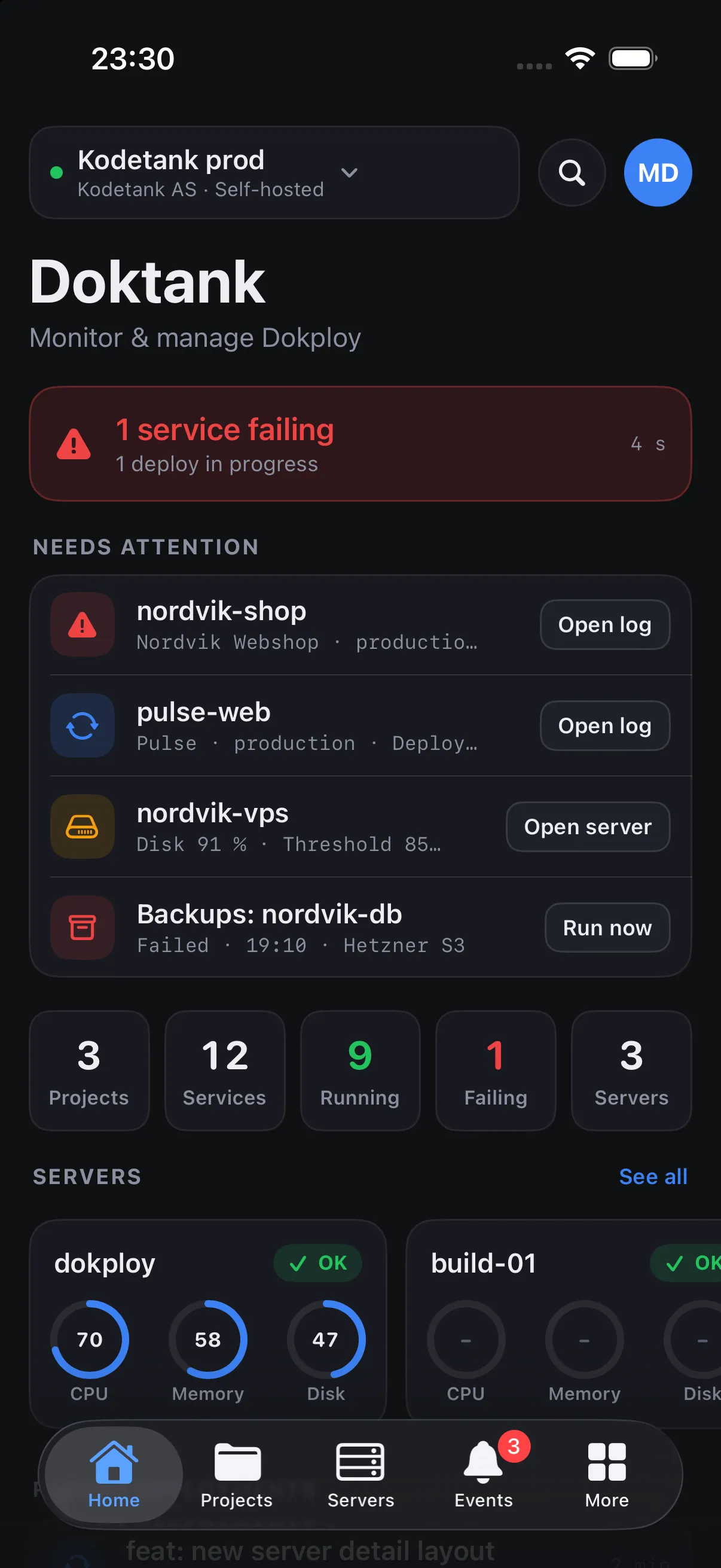
Open Doktank. The failing service is already at the top. Tap it, read the container log, hit Reload or roll back to the last good deploy. Done before the customer finishes the sentence.
Doktank is the native app for Dokploy. See what is running, catch what is failing, read the log and redeploy. In seconds, from anywhere, and safe enough for production.
Nobody opens a server tool for fun. You open it because a customer called, a deploy went red, or a disk filled up at 23:40. Doktank is designed around those three minutes.
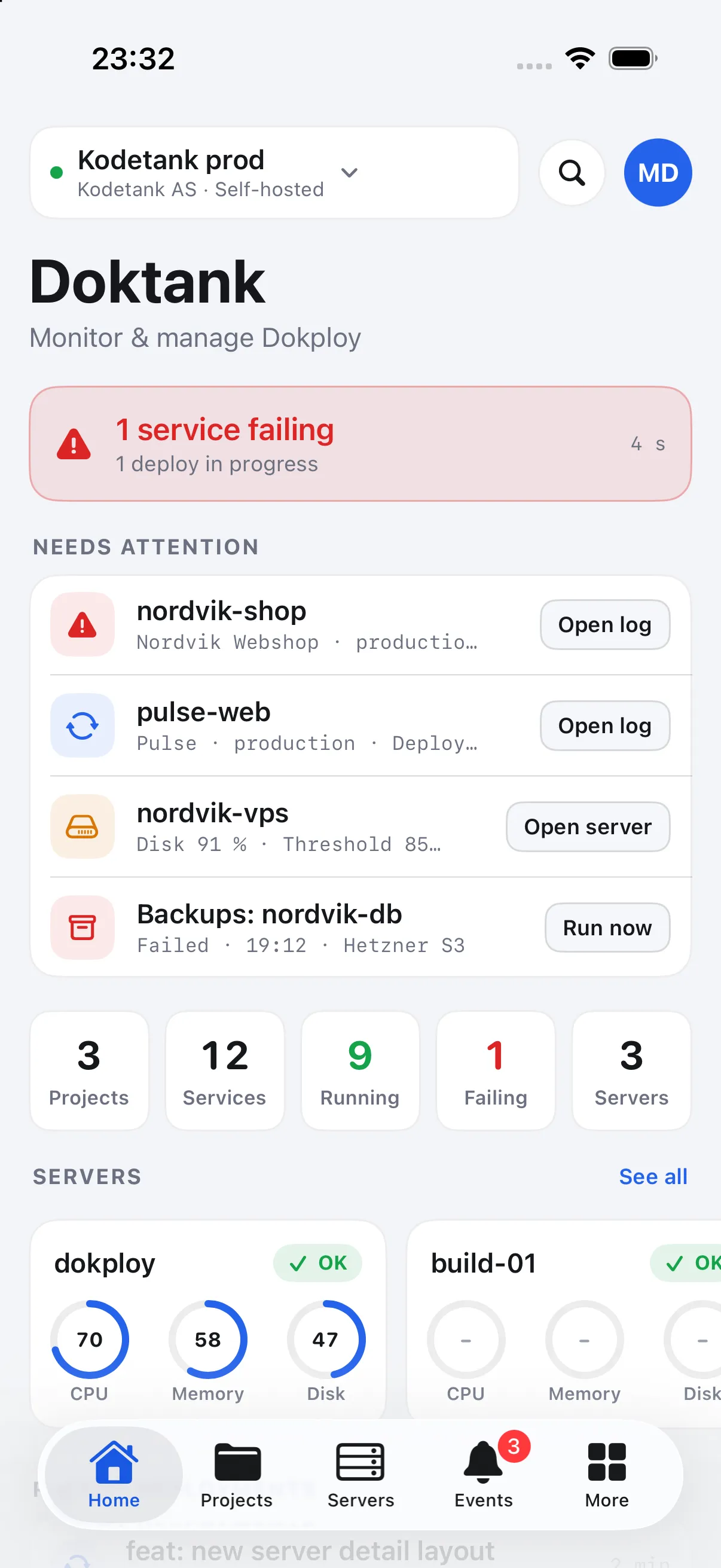
Open Doktank. The failing service is already at the top. Tap it, read the container log, hit Reload or roll back to the last good deploy. Done before the customer finishes the sentence.
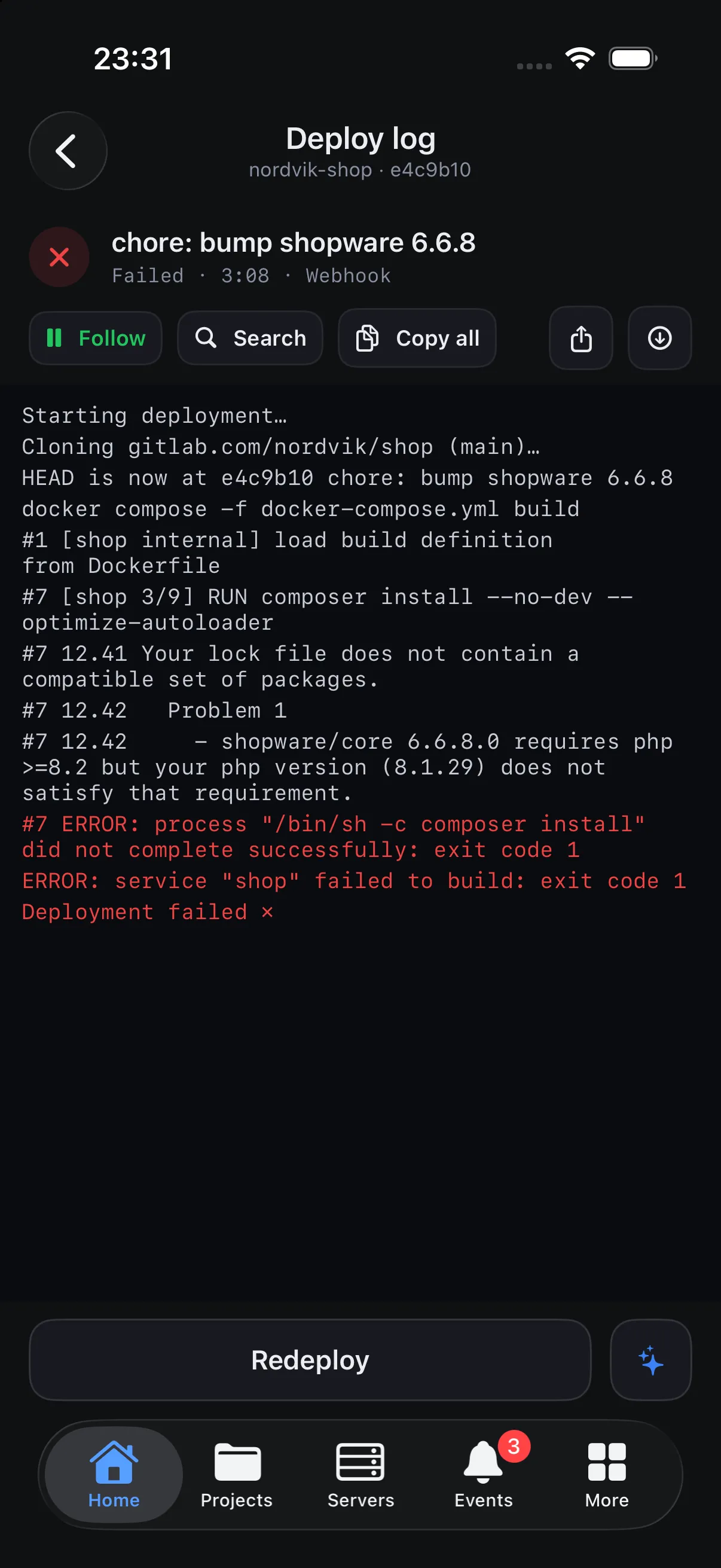
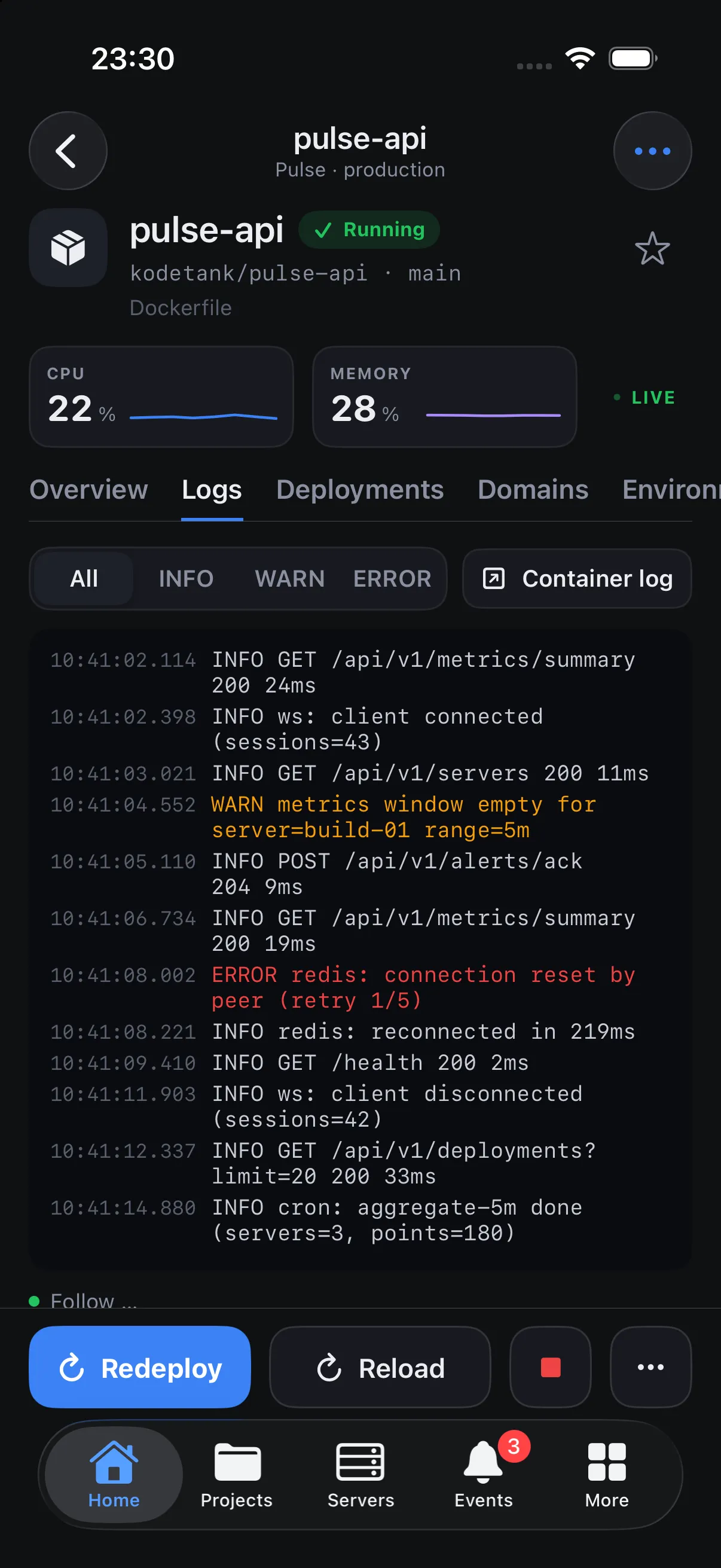
Every deploy shows up in Events with its result and duration. Open it and watch the build log stream live, line by line, with the error highlighted when it fails.
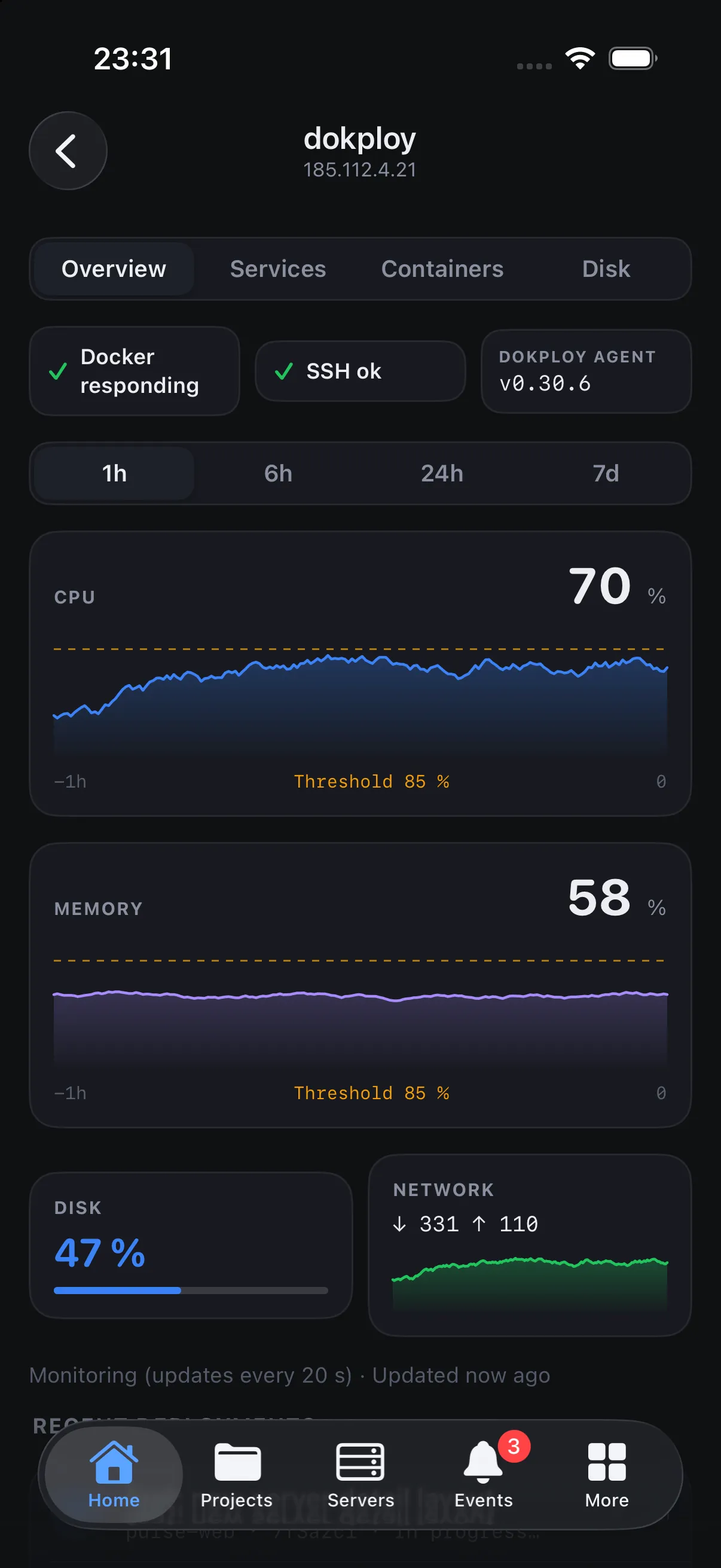
Live CPU, memory and disk per server and per service. See who is eating the box, and prune images, volumes and build cache from the same screen.
Doktank covers the whole Dokploy API, but it is built in the order you actually use it: status first, actions second, configuration behind a door.
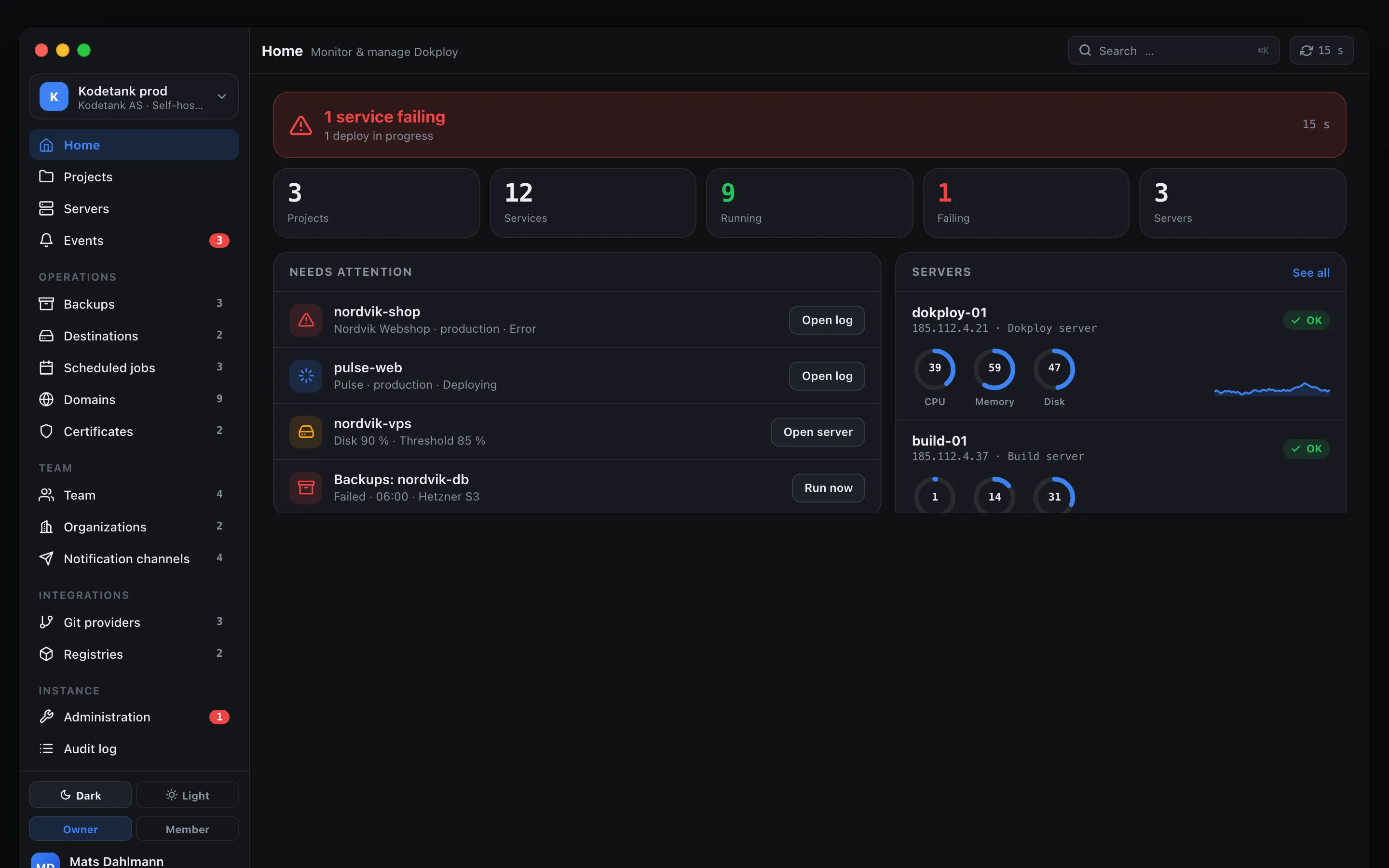
One health line across projects, services and servers. Anything red is listed first, with the right action next to it.
Rings and sparklines that tick every second for each service and server. History from Dokploy monitoring when it is enabled.
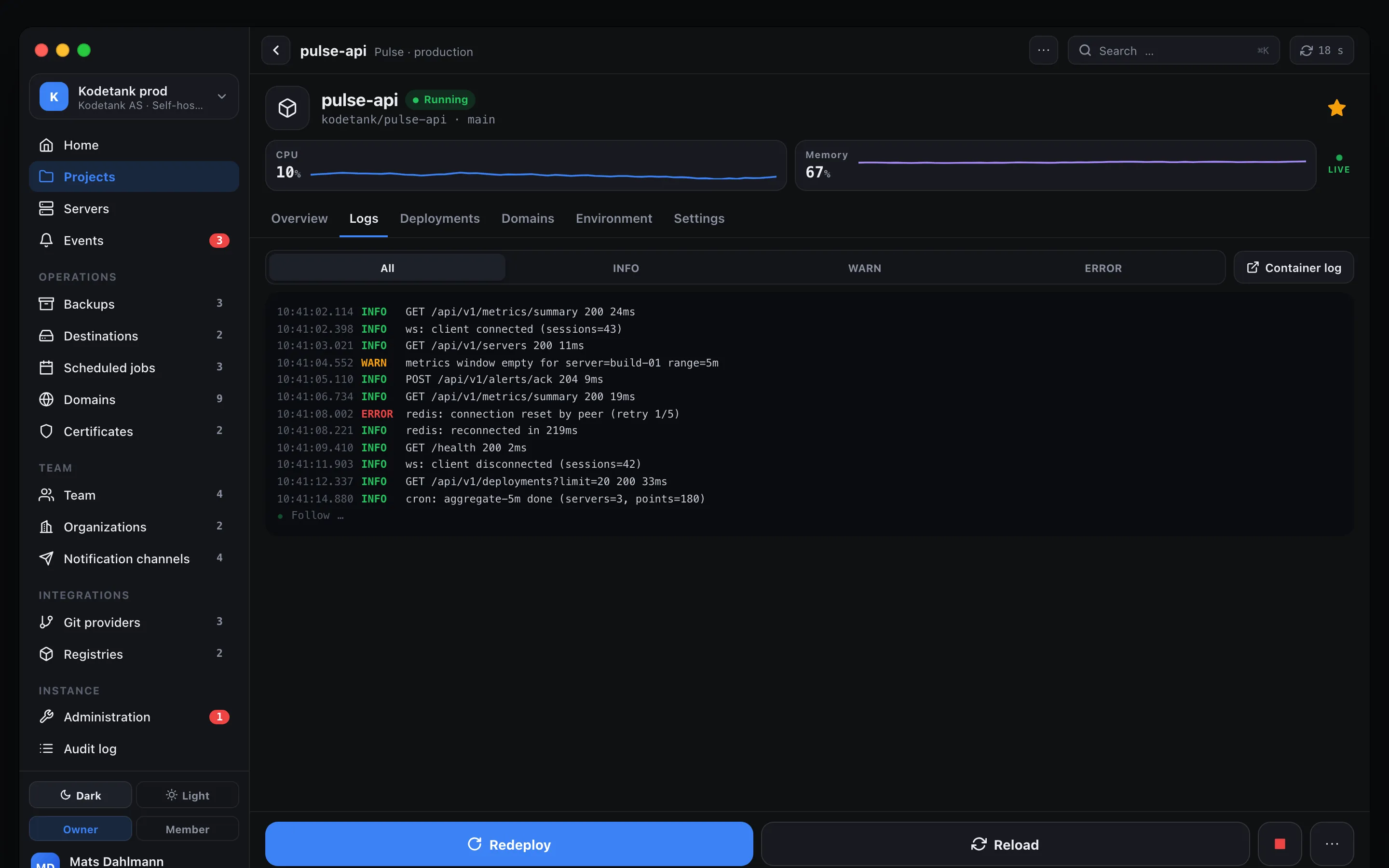
Container logs and build logs, live. Follow, pause, search, filter by level and time, copy a line or the whole thing.
Every deployment with trigger, duration and result. Failed builds carry the first error line into the list.
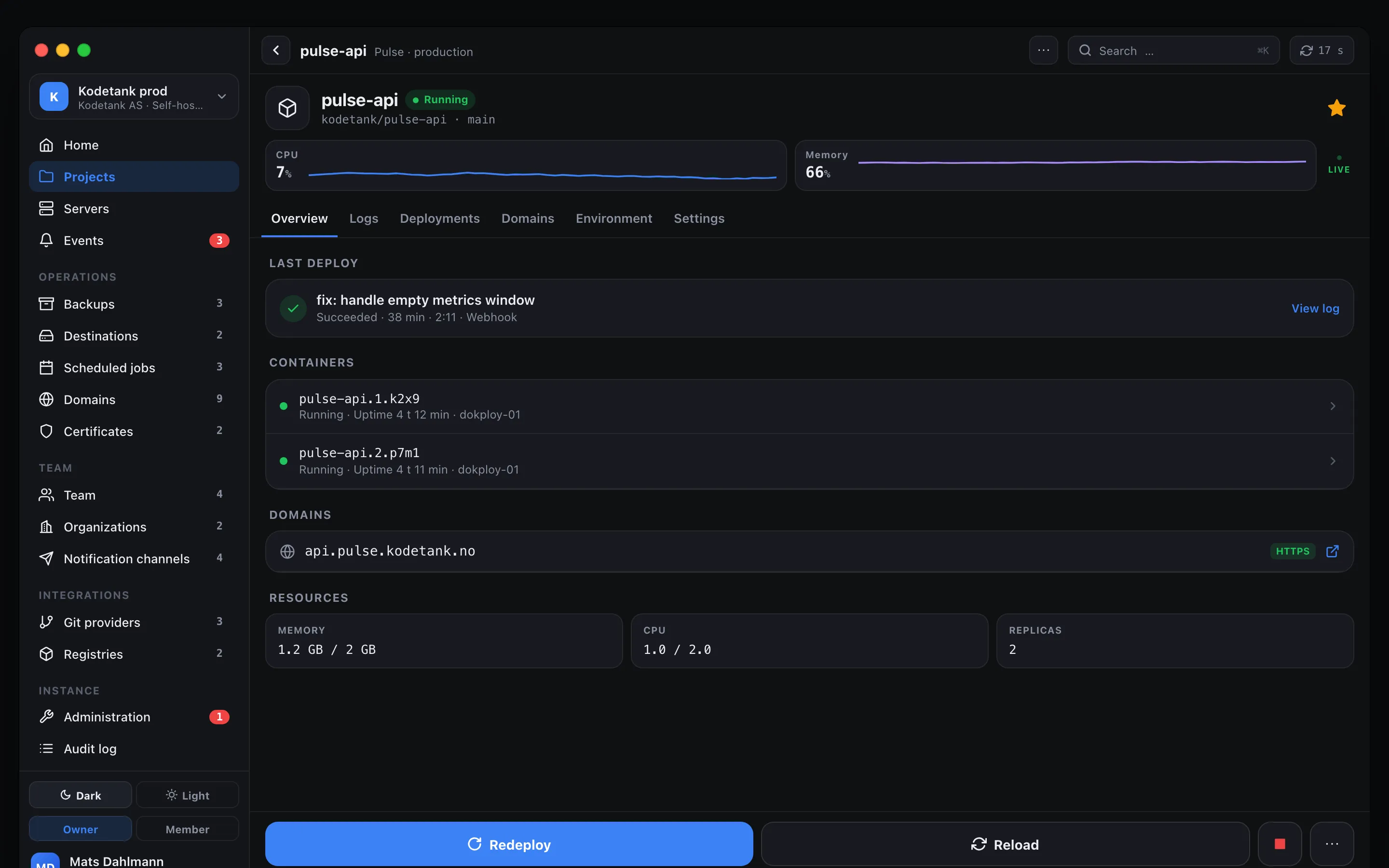
Deploy, redeploy, reload, start, stop and cancel. The log opens itself so you can watch what you just did.
Roll back to the previous successful image straight from the failed deploy log.
Health, resources and every container on each server. Prune unused images, volumes and build cache with a hold-to-confirm.
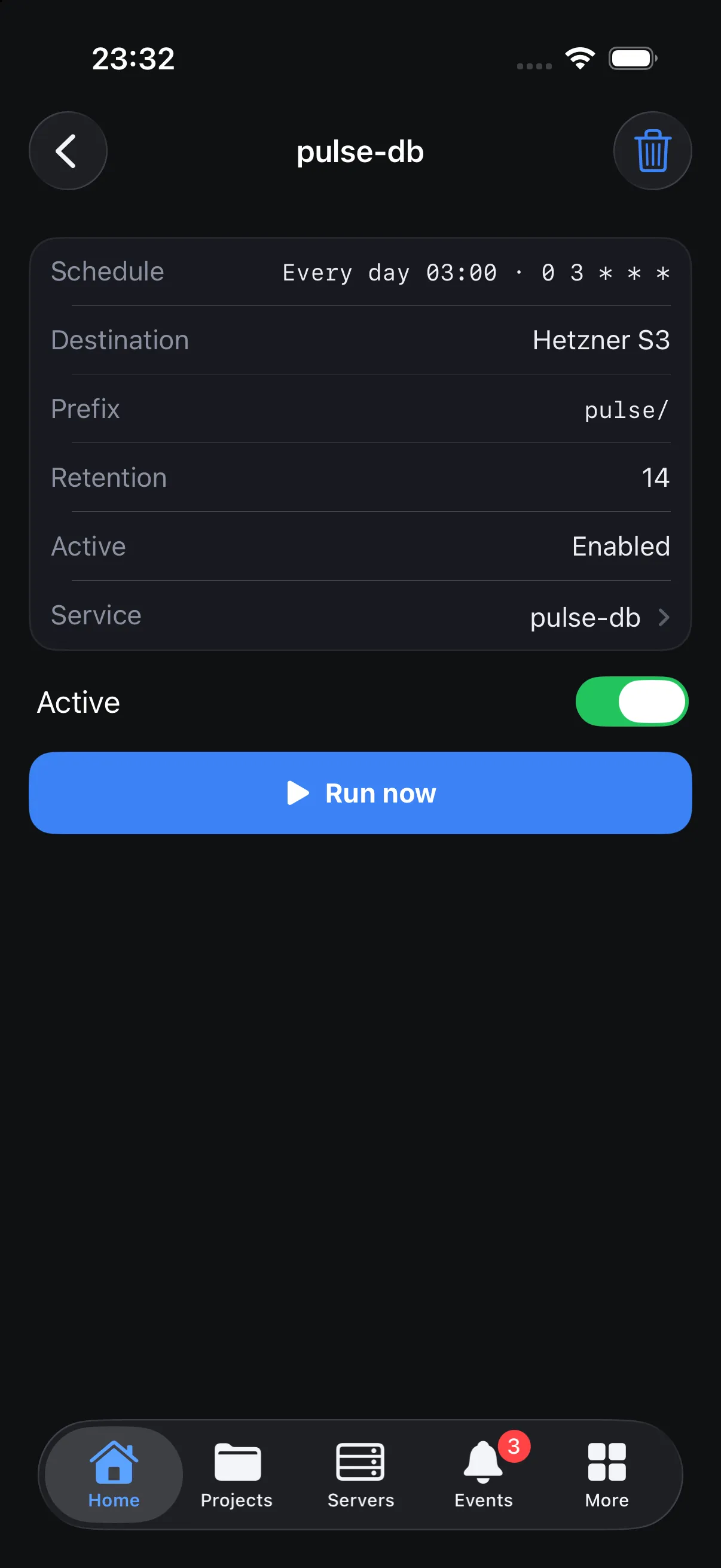
See when the backup last ran, run it now, browse files, restore with a live log. Scheduled jobs in the same place.
Edit environment variables with values masked, add domains with a DNS check, and redeploy when you are ready.
Team, roles, notification channels, Git providers, registries, Traefik and Dokploy updates. Owner-only screens stay out of the way for everyone else.
Switch between clients, instances and organizations with one tap. Each gets its own nickname, color and production flag.
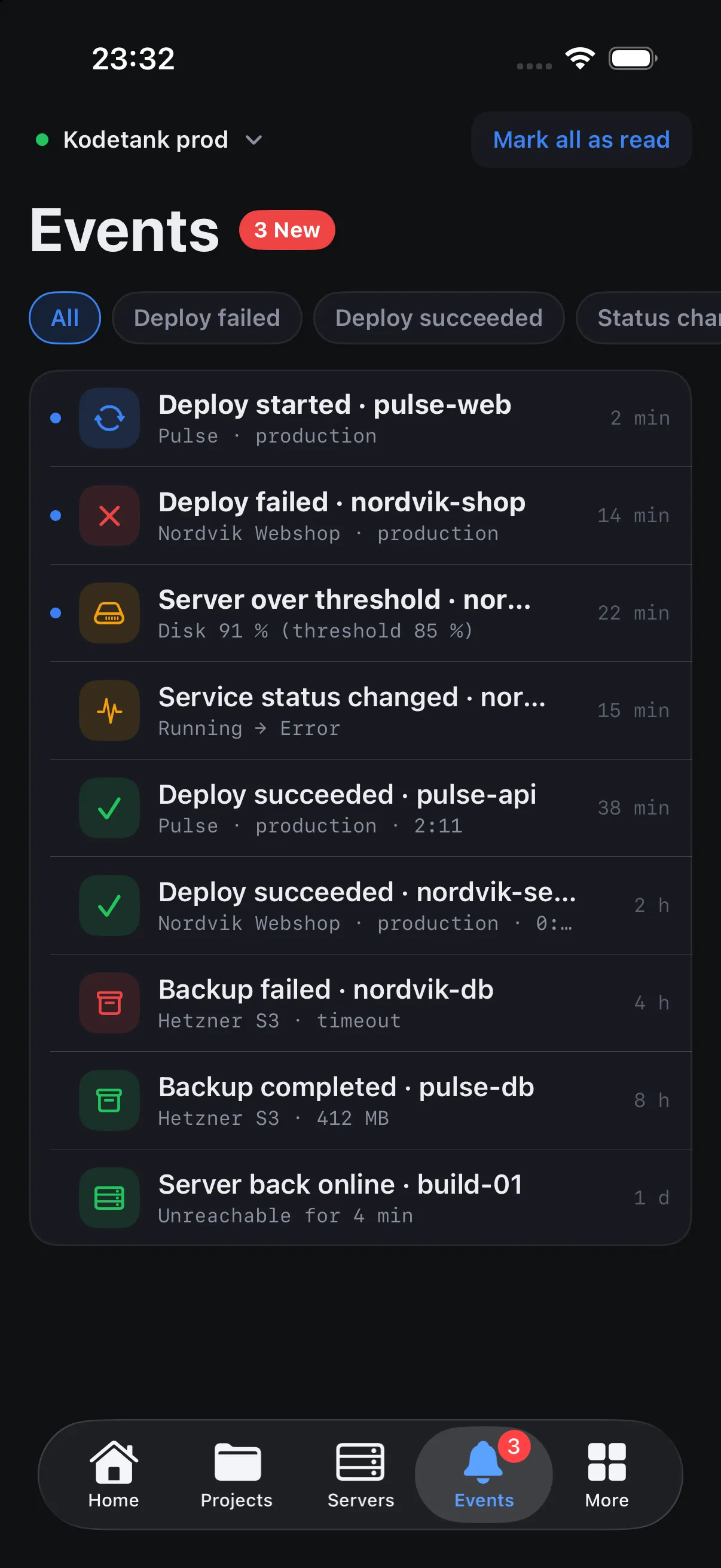
A timeline of failed deploys, status changes, server thresholds and backup results, with local notifications when the app refreshes in the background.
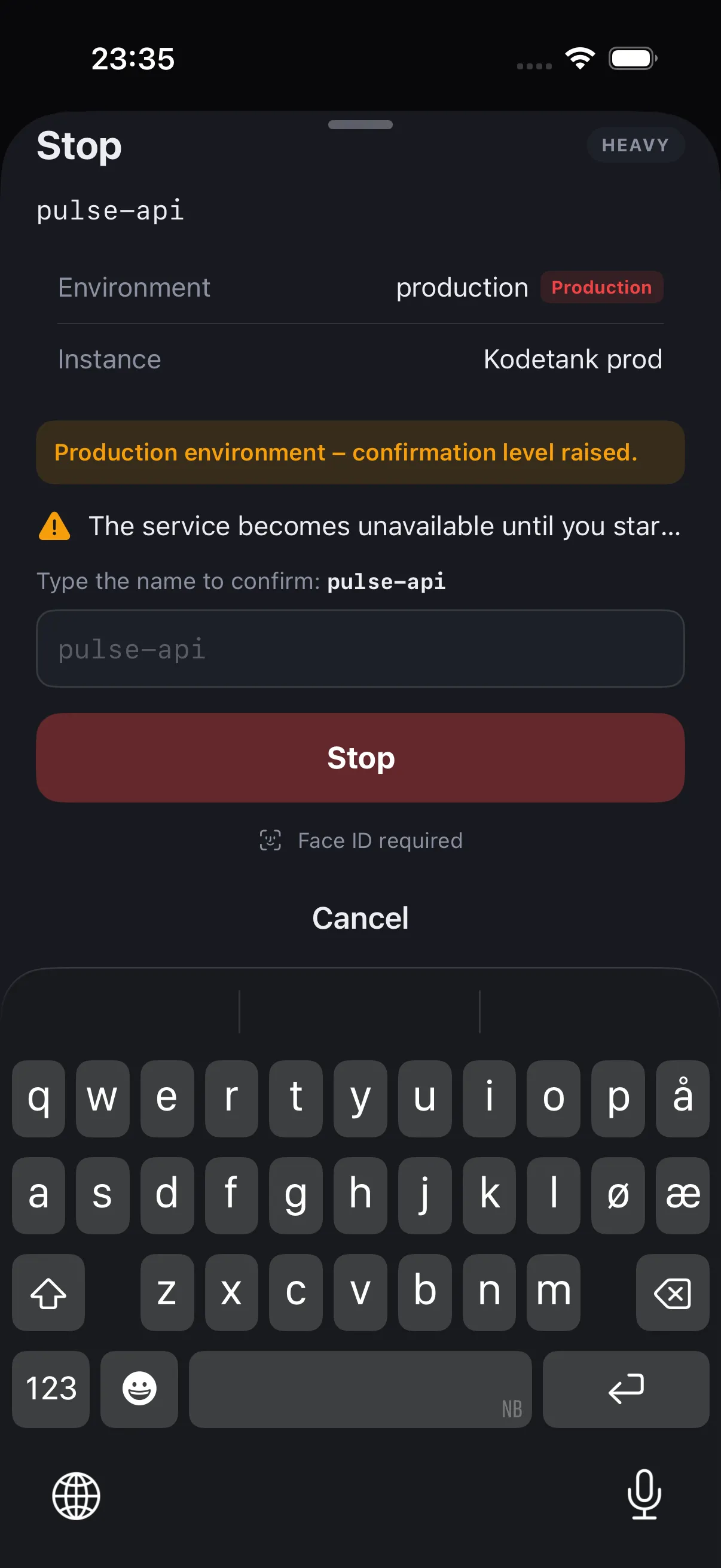
A phone is the worst place to delete the wrong thing. So Doktank makes safe things fast and dangerous things deliberately slow.
Deploys are one tap. Stops and restores need a hold. Deletes need you to type the name. Production environments raise every action one level.
Passwords, tokens and environment values are masked by default. Copy without revealing. Screenshots of secrets can be blocked.
Lock the app at launch, and require biometrics for heavy actions and the terminal.
Every list shows when it was last updated. Live views say LIVE. When something is unavailable, Doktank tells you why.
The app, running in your browser with simulated data. Tabs, lists, services, servers, logs and actions all work. Open a service and hit Redeploy to watch a build stream in.
Production environment – confirmation level raised.
Simulated data. The real app talks to your own Dokploy instance.
Doktank for Mac is the same app with a sidebar, three columns and a keyboard. Press ⌘K to jump to any service, server or domain. Logs get the width they deserve.
Doktank talks to the same API the Dokploy dashboard uses. If you have a Dokploy account, you are ready.
Your own server, your own domain. HTTP and self-signed certificates are allowed per instance when you need them.
Point Doktank at app.dokploy.com. Features that only exist on self-hosted servers are hidden, never broken.
Owners and admins see everything. Members see exactly what they have been given, and nothing they cannot do.
Doktank reads the OpenAPI document of your instance and adapts. Old instance? It tells you what you are missing.
Doktank is written in Swift and SwiftUI. It talks to your Dokploy instance and to nobody else.
Generate a key in Dokploy under Settings → Profile → API/CLI, paste it, done. No Doktank account.
Keys live in the iOS and macOS Keychain. Cached data is encrypted and removed when you remove the instance.
No analytics, no crash upload without asking, no tracking. We do not see your servers.
Push notifications use a tiny relay that receives only Dokploy webhook events. Optional, and documented.
# All Doktank needs from you
instance  https://dokploy.example.com
api_key   dk_••••••••••••••••••••••••

# The only thing Doktank talks to
GET  https://dokploy.example.com/api/project.all
POST https://dokploy.example.com/api/application.redeploy
WSS https://dokploy.example.com/listen-deploymentNo. Doktank is an independent app made by Kodetank AS in Norway. It is not affiliated with or endorsed by Dokploy. It uses the public Dokploy API.
A Dokploy instance (self-hosted or Cloud) and an API key, which you generate in Dokploy under Settings → Profile → API/CLI. Paste the URL and the key into Doktank. That is all.
Yes. Point it at app.dokploy.com with your API key. A few features that only exist on self-hosted servers, such as the per-service live stream and Dokploy server administration, are hidden in Cloud. Monitoring history is shown instead.
Yes. Each person uses their own API key, and Doktank shows exactly what their Dokploy role allows. Members see only their assigned projects.
Dokploy does not send events to apps directly, so Doktank offers two paths. Out of the box, it checks your instances in the background and raises a local notification when something changed. For real-time push, connect the optional Doktank relay from inside the app, or use Dokploy’s own Ntfy or Pushover channels.
That is the whole point. Dangerous actions need a hold or the typed name of the service, production environments raise the confirmation level, secrets are masked, and the app can require Face ID for heavy actions. See the safety section above.
Only to your own Dokploy instance. There is no Doktank account and no proxy. Keys are stored in the Keychain.
Doktank reads the OpenAPI document from your instance and adapts to it. We test against the latest release and the two before it. Older instances work for the core features and get a hint to update.
Yes. Doktank for Mac shares the same core and is designed as a proper Mac app with a sidebar, wide logs and keyboard shortcuts.
For day-to-day work, yes: status, logs, deploys, environment, domains, backups and most administration. A few setup flows, like connecting a GitHub app, still happen in the browser, and Doktank links you there.
Doktank is coming to the App Store for iPhone and Mac. Join the beta to get it first, or leave your email and we will tell you when it ships.